Wedding albums, designed in an afternoon.
Lay out a whole album from a folder of photos, retouch faces, make the thank you cards, and send it all to print or to your client. One app, made for Sri Lankan studios.
Part of your Eventor plan · Works offline · New features arrive as free updates
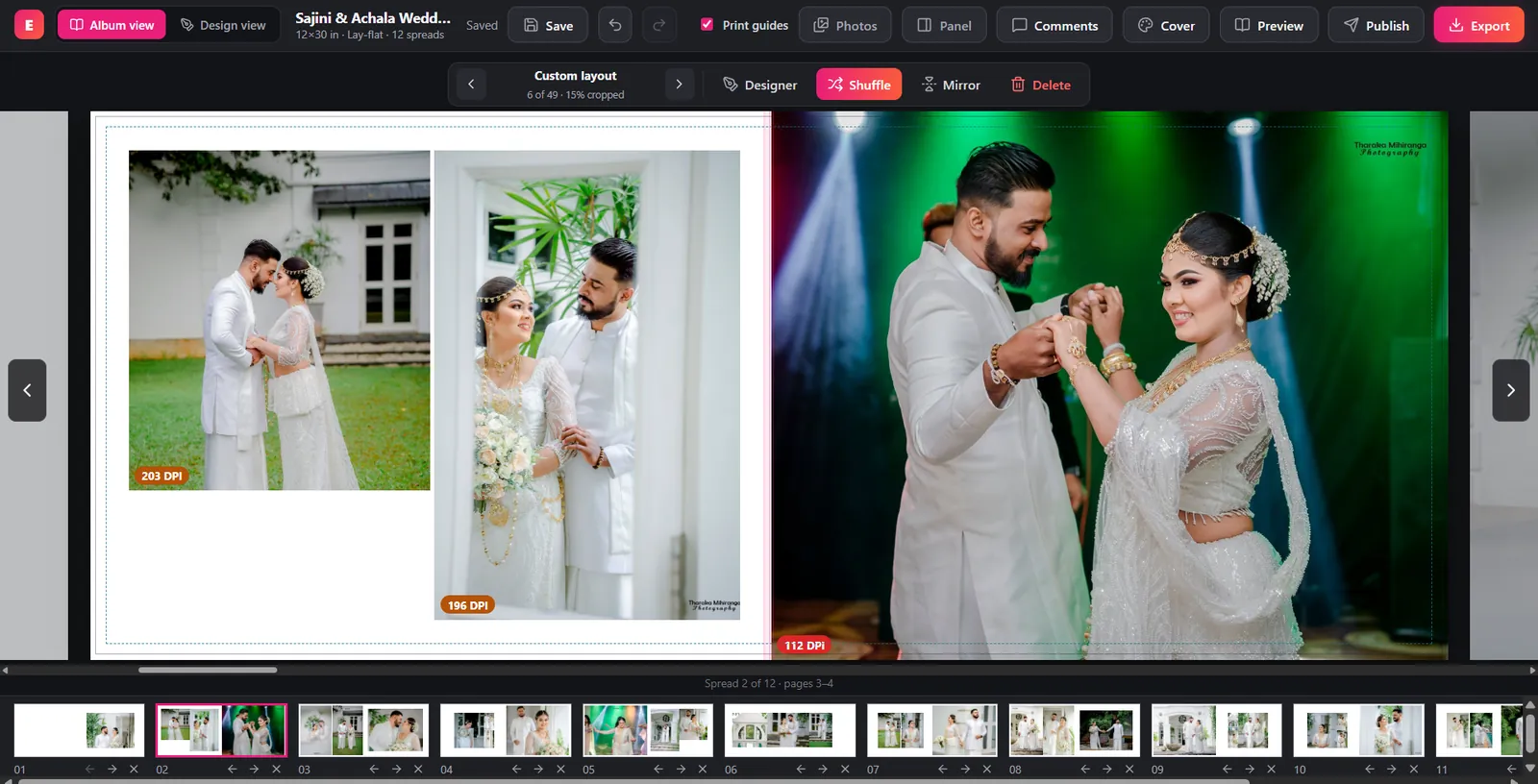
A first draft of the whole album, in one click.
Choose the photos and the style. Auto Build puts them in the order they were taken, starts a new spread when the day moves on, and lays every spread out from hundreds of original layouts. No page is left blank.
- Keeps the story in order, from getting ready to the last dance
- Sets aside blurry and repeated shots for you to check
- Styles from full and busy to fine art with open paper
- Starts from your client's own selection in Eventor
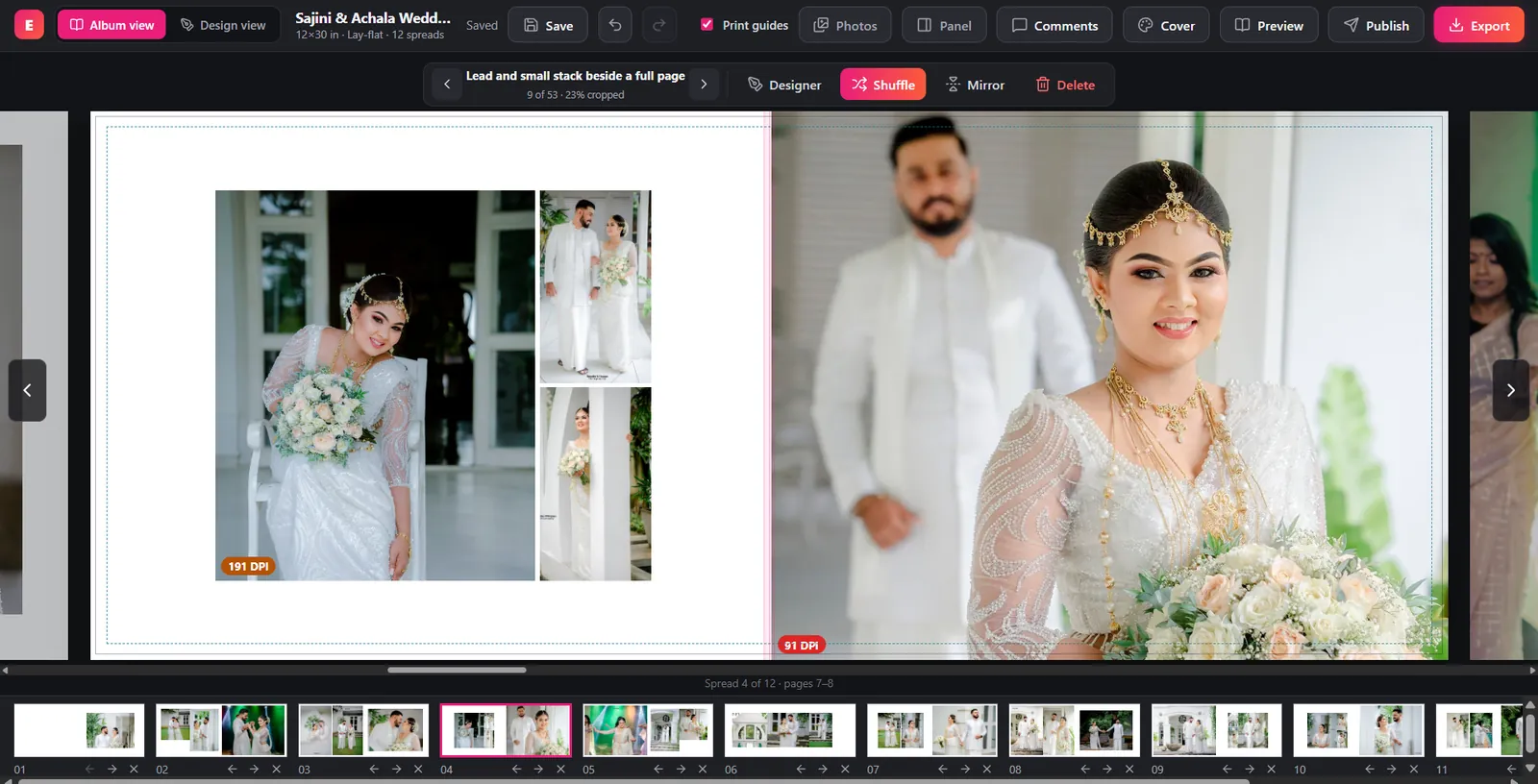
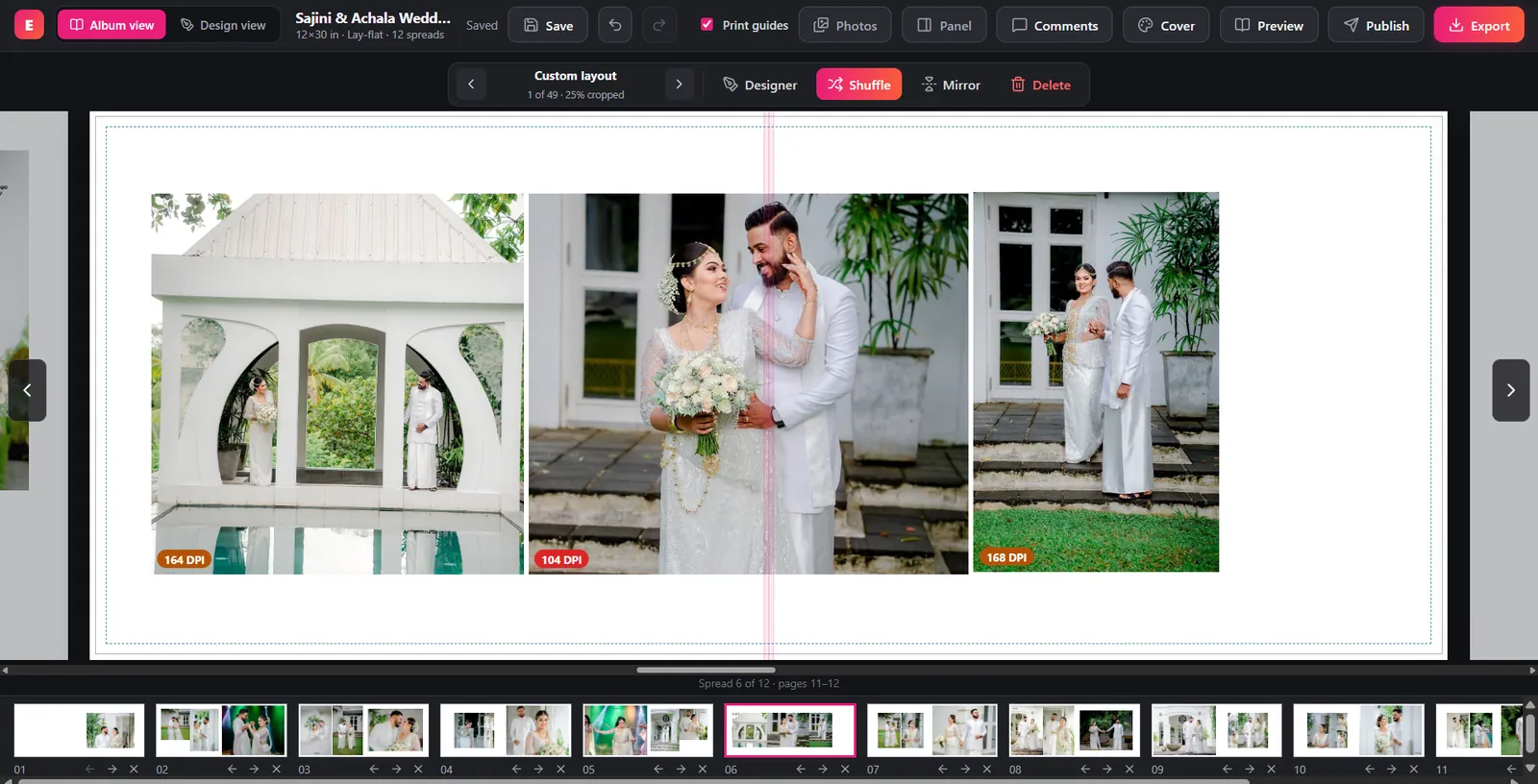
Not quite right? Shuffle it.
Every click tries another layout for the same photos and crops them around the faces, so nobody loses the top of their head. Happy with one page? Shuffle just the other.
- Shuffle the left page, the right page or both
- Crops follow the faces in each photo
- Mirror a spread, or move anything by hand in the designer
- Undo any step
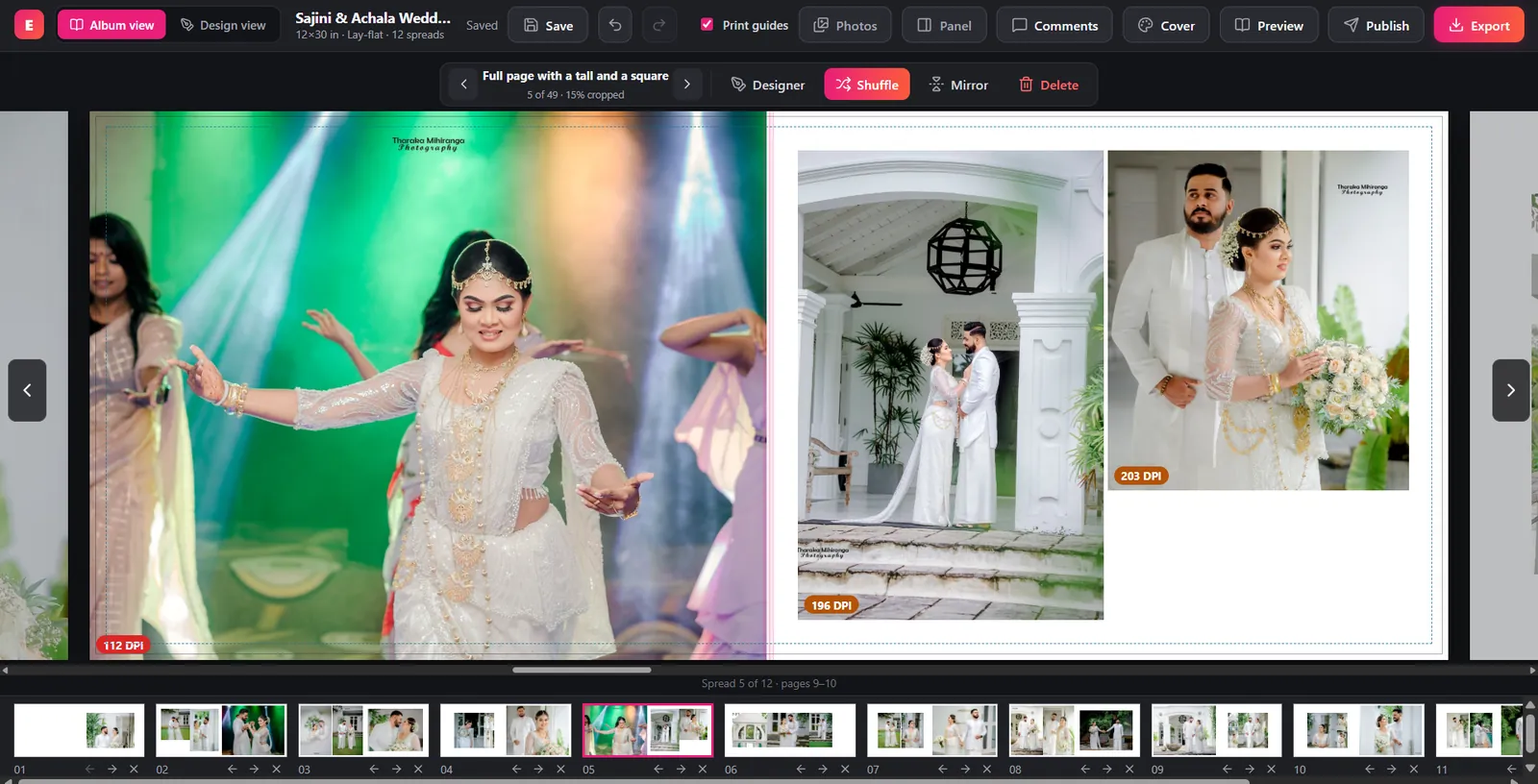
Retouching that keeps the person.
Magic skin smooths, brightens and evens every face at once. Eyes, brows and lips stay sharp, and each person keeps their own skin colour. Drag the line to compare.
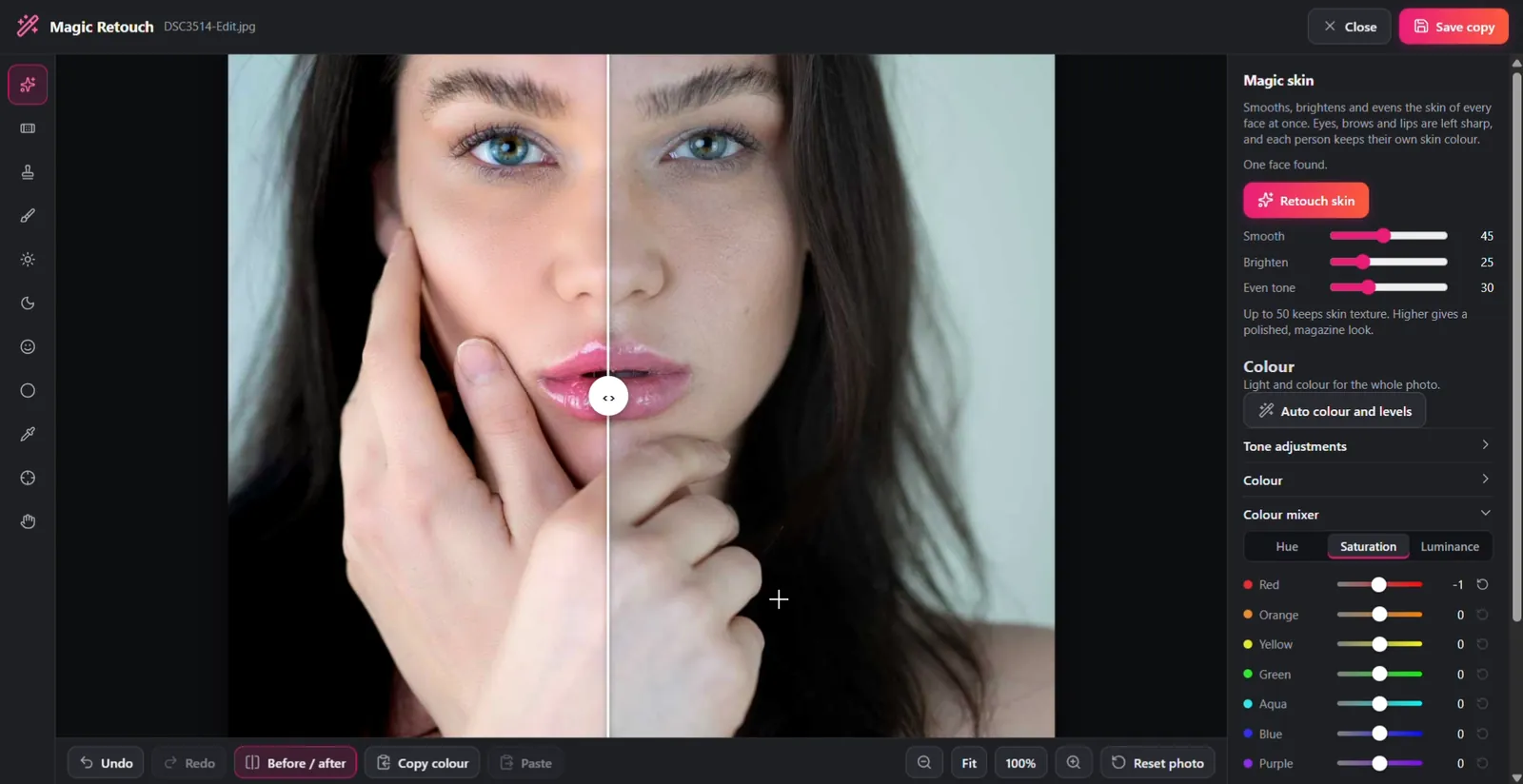
Magic skin
Smooth, brighten and even tone, with the texture kept up to half strength.
Makeup
Lip colour, blush, contour and highlight, only on the faces you choose.
Healing and clone
Spots, stray hairs and marks gone with a brush.
Colour
Auto colour, tone, a colour mixer, grading wheels and a white balance picker.
The thank you cards, from the same photos.
Pick a few photos and Eventor offers a card in every design that suits them, with the couple’s names and date already in place. Change the words, then export for print.
- A design for every number of photos
- Names and dates filled in for you
- Print-ready at 300 DPI
Ready for the lab. Ready for the client.
Every photo shows its print resolution as you work, so a soft photo is caught before it is printed. When the album is done, export it for the lab or send it to your client as an album they can flip through, with its cover and music.
Keep your memories close.
Every album you design can also live online. Your couple turns real pages on a phone, tablet or computer, with their cover and their song, and shares it with the people who could not be there. Try it: turn the pages below.
- Turns like a real albumPages curl as they turn, on any screen.
- Their cover and their songThe cover you designed, with music playing as they read.
- Shared with one linkSend it to family abroad. Nothing to install, no account.
- Published from Studio ManagerOne click when the album is done.

Spend the evening with the photos, not the software.
Studio Manager does the slow parts: the first layout, the skin, the cards and the checks before print. The hours go into the choices only you can make.
It is built with studios in Sri Lanka, and it keeps getting better: when a new version is ready, the app offers it and updates itself, with new layouts, text designs and tools included.
Questions
Which computers does it run on?
Windows and macOS. Install it on as many computers as your Eventor plan allows, and move it from one to another by removing the old one in the app.
Do I need an internet connection?
Only to sign in and to publish. After that it works offline for seven days at a time, so you can design on the road or at a venue.
Are my original photos changed?
Never. Retouching and colour are saved with the album and in new copies, and the files from your camera stay exactly as they were.
How do I get new layouts and features?
The app tells you when a new version is ready and updates itself with one click, with no reinstall. New layouts, text designs and tools arrive the same way.
Does it work with Eventor CRM?
Yes. Your client chooses their photos in the client portal, you design the album from that selection, and you publish the finished album back to them as a flip-through album with its cover and music.
What do I send to the print lab?
Print-ready JPG files and one PDF at the resolution your lab asks for, with bleed. Before exporting, the app checks for low-resolution photos, empty frames and photos used twice.
Your next album could be finished tonight.
Sign up for Eventor, choose the plan with Studio Manager, and install it on your computer.